Email: admin@yeeshine-tech.com WhatsApp: +86-13712868936

- All
- Product Name
- Product Keyword
- Product Model
- Product Summary
- Product Description
- Multi Field Search

Views: 0 Author: Site Editor Publish Time: 2026-10-21 Origin: Site


Standing in front of a humming industrial mill can feel incredibly intimidating for a newcomer. You watch high-pressure coolant spray across the enclosure. A spindle whirs at 12,000 RPM. The flashing control panels and complex mechanical components often leave beginners wondering if this technology is simply too complex to grasp.
So, is mastering this craft actually difficult? The true difficulty depends entirely on your specific production goals. Running a desktop router in a residential garage to carve soft wood is vastly different from programming tight-tolerance aerospace components that demand flawless execution.
Looking at current manufacturing trends, the industry is navigating a massive generational shift. The rapid adoption of automated cells and smart manufacturing has transformed the shop floor. While modern software utilizes AI-driven toolpaths to lower the barrier to entry, the fundamental physics of cutting metal remains unchanged. A severe skills gap has emerged as veteran machinists retire. This makes mastering the trade highly lucrative, but it also means beginners must bridge the gap between digital theory and physical reality faster than ever before.
Let us break down the exact learning curve of this trade from an engineering perspective. You will discover the essential skills required, the stark contrast between digital design and physical execution, and how long it realistically takes to transition from a complete novice to a competent professional.
When evaluating the difficulty of this discipline, "hard" is a highly relative term. The learning curve is distinctly bifurcated into two separate paths: the weekend hobbyist route and the professional industrial route.
For the maker community, the barrier to entry has never been lower. Modern desktop routers feature user-friendly interfaces that abstract complex mathematics away from the user. Within a matter of days, beginners can successfully cut soft materials like wood or foam. In this specific context, grasping the basics is relatively easy and highly rewarding.
In stark contrast, the industrial path presents a completely different landscape. Factory environments require machinists to hit tight tolerances. You are frequently dialing in a micrometer to measure ten-thousandths of an inch. You deal with stubborn superalloys and operate complex equipment costing hundreds of thousands of dollars.
Furthermore, beginners often face a significant psychological barrier. This is the fear of the crash. Unlike writing computer software where a mistake simply results in an error code, a physical mistake on the shop floor has real consequences. It can lead to a violent collision, shattered solid carbide endmills, and scrapped material. Overcoming this anxiety and developing the confidence to trust your setup is one of the most challenging aspects of the initial learning phase.
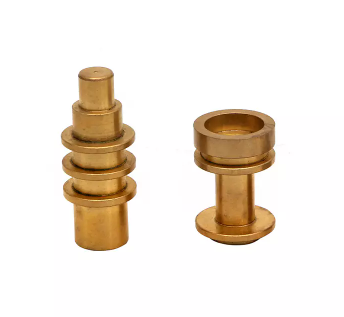
Understanding this trade requires recognizing that it is not a single monolithic skill. Rather, it is an interconnected workflow consisting of three distinct technical disciplines. A failure in any one of these pillars will inevitably result in a scrapped part.
This is the foundational process of creating a digital model of the part you intend to manufacture. Industry-standard software platforms are utilized to draw the exact geometry. The difficulty level here is generally considered moderate. While the software interfaces can feel overwhelming initially, the principles are purely digital and highly logical. If you make a mistake in your drawing, you simply press undo. This phase is highly accessible for individuals with basic computer literacy and spatial reasoning skills.
Once the digital model exists, the equipment needs to know precisely how to physically create it. This is where CAM software comes into play. It generates the complex toolpaths dictating the exact movements the cutting tool will make.
The difficulty level here spikes significantly. Unlike digital design, mastering CNC programming requires a deep understanding of physical reality. The software does not inherently know if your endmill is long and fragile. It does not know if the block of steel you are cutting will work-harden and destroy the cutter. A programmer must manually input the correct cutting speeds, feed rates, step-overs, and depths of cut. Bridging the gap between digital theory and physical physics takes considerable time and trial by fire.
The final pillar is the physical execution at the machine itself. This involves preparing the workspace, loading the raw billet, securing it properly in a vise, measuring tool lengths, and establishing work coordinates.
The difficulty here ranges from moderate to hard. Effective CNC operation demands meticulous attention to detail and a strict adherence to safety protocols. It requires hands-on practice and the ability to read precision measuring instruments like dial indicators. A skilled operator develops a keen ear for detecting the subtle tonal changes of a tool that is about to break.
Even with a solid theoretical understanding of the three pillars, novices inevitably encounter specific technical roadblocks. Addressing these challenges requires patience and a willingness to study the underlying mechanics of the trade.
Because modern CAM software automatically generates the machine code, many beginners mistakenly assume they do not need to learn the raw text. This is a dangerous misconception. A competent machinist must know how to read, interpret, edit, and troubleshoot raw code directly at the controller panel. If the software outputs a flawed line commanding the spindle to plunge rapidly into a steel fixture, the operator must spot that anomaly before pressing the cycle start button.
One of the most complex aspects of physical manufacturing is understanding material science. Slicing through a block of 6061 aluminum is a vastly different experience than machining 304 stainless steel or Grade 5 titanium. If a beginner applies aggressive aluminum cutting parameters to a titanium part, the tool will likely melt or shatter within seconds. Calculating the optimal spindle speed and feed rate requires understanding chip load, surface footage, and heat evacuation.
Workholding refers to how the raw material is secured inside the machine. Beginners routinely underestimate this challenge. Figuring out how to grip a complex organically shaped part securely is often the most creative and difficult part of the setup process. If the clamping force is inadequate, the cutting forces will cause the part to vibrate violently. This chatter destroys the surface finish or pulls the part entirely out of the vise.
The difficulty of learning this trade is directly correlated to the kinematic complexity of the equipment itself. The transition from standard machinery to advanced multi-axis centers represents a massive leap in required skill.
Standard 3-axis milling is the starting point for almost all machinists. These machines operate on three linear axes: X, Y, and Z. Because the cutting tool always remains strictly vertical relative to the workpiece, visualizing the toolpaths is relatively straightforward. These machines are excellent for flat parts, basic brackets, and simple 3D contours.
The introduction of 5 axis machining represents the pinnacle of manufacturing complexity. In addition to the standard linear movements, these machines incorporate two rotational axes. This allows the cutting tool to approach the workpiece from virtually any angle.
While this capability is incredible for manufacturing complex aerospace impellers or intricate medical implants, it is exponentially more difficult to program and operate. For instance, high-end vertical metal machining services routinely achieve tolerances as tight as 0.01mm on complex geometries. The programmer must manage dynamic tool vectors in 3D space. They must ensure the spindle housing does not collide with the trunnion table as it tilts and rotates. Operating these machines requires veteran personnel with exceptional spatial awareness and rigorous collision-checking protocols.
When evaluating the difficulty of this trade, time is the most accurate metric. The learning curve is not a sheer cliff but rather a long steady incline. To provide a clear perspective, the progression timeline can be broken down into three realistic phases.
| Skill Level | Estimated Timeline | Core Responsibilities | Key Competencies Acquired |
|---|---|---|---|
| Basic Operator | 1 to 3 Months | Loading raw material, pressing start, basic part inspection, reporting errors. | Basic safety protocols, using calipers and micrometers, recognizing tool wear. |
| Setup Machinist | 1 to 2 Years | Changing tools, setting work offsets, adjusting existing code for minor corrections. | Understanding basic code structure, intermediate operation, fixture alignment. |
| Master Programmer | 4 to 5+ Years | Designing complex fixtures, programming multi-axis machines, troubleshooting severe issues. | Mastery of CAM software, advanced metallurgy, quoting, process optimization. |
As the table illustrates, becoming a basic operator takes only a matter of weeks. This phase is often affectionately referred to as button pushing, where the operator relies entirely on programs written by senior staff.
Transitioning to a Setup Machinist requires one to two years of consistent practice. At this stage, you must understand how to establish the machine zero points and make micro-adjustments to keep parts within strict tolerances as tools degrade. Finally, reaching the level of a Master Machinist demands a deep intuitive understanding of physics and mathematics.
While putting in the hours is mandatory, working smart is just as important as working hard. Specific strategies can drastically reduce the friction of the learning process.
Start with the Digital Software First
Before you ever touch a physical control panel, become comfortable in a digital environment. Download educational versions of leading CAD and CAM software. By learning how to draw 3D models and generate basic toolpaths on your computer, you isolate the software learning curve from the physical stress and danger of operating heavy machinery.
Master Blueprint Reading and Geometric Tolerancing
A machine is only as good as the instructions it receives. These instructions originate from engineering blueprints. To succeed, you must learn Geometric Dimensioning and Tolerancing. This universal language of symbols accurately defines part geometry. Understanding concepts like flatness, concentricity, and true position is non-negotiable for professional work.
Utilize Verification Simulators
The greatest psychological barrier for beginners is the fear of a crash. Simulator software acts as a risk-free bridge between digital programming and physical cutting. These programs allow you to run your generated code in a virtual environment. They flag tool collisions and improper feed rates before a single piece of real metal is touched.
For hobbyists, learning the intricacies of feeds and speeds is part of the fun. However, for product developers, engineers, and manufacturing businesses, the perspective shifts dramatically. Evaluating whether to build an in-house machining department versus outsourcing to a dedicated facility is a critical financial decision.
Building an in-house department involves massive capital expenditure. A reliable industrial-grade machine easily costs over $70,000, while multi-axis centers run into the hundreds of thousands. Beyond the initial purchase, you must account for the ongoing costs of tooling, specialized coolants, and facility upgrades for three-phase power and air supply.
More importantly, the steep learning curve directly translates to hidden operational costs. While your staff is learning the ropes, they will inevitably break expensive carbide tools, scrap high-value raw materials, and experience significant machine downtime. For a business trying to launch a new product, these delays severely impact the time-to-market.
If your primary goal is to obtain reliable components without the overhead and headaches of managing a machine shop, outsourcing is objectively the smartest strategy. By leveraging external experts for precision metal machining, businesses bypass the years of training required to master the craft. Professional facilities already possess the infrastructure, the veteran personnel, and the stringent ISO-level quality control protocols necessary to deliver complex parts on time and strictly to print.
Mastering this complex trade is a journey that takes significant time and patience. While hobbyists can get started quickly with basic desktop tools and intuitive software, achieving industrial mastery is a much longer and steeper climb.
To succeed at a professional level, you must thoroughly understand mathematics, machine mechanics, and material science. You can begin learning the digital design and programming software from your computer desk today.
Alternatively, if your business requires high-precision components immediately, skipping the learning curve is often the most profitable route. For companies focused on scaling and efficiency, partnering with a reliable manufacturer ensures your parts are done right the first time. If you need tight tolerances, complex geometries, or rapid prototyping, explore the professional machining services at Yeeshine to bring your engineering designs to life without the operational stress.
Yes, a solid foundation in basic mathematics is an absolute requirement for this field. While modern software handles much of the heavy lifting, a machinist must frequently rely on geometry, trigonometry, and basic arithmetic on the shop floor. You will use math daily to calculate proper cutting speeds and feeds, determine precise angles for chamfers, calculate tool wear offsets, and verify that finished dimensions match the engineering blueprints.
Absolutely. The manufacturing sector is currently experiencing a significant shortage of highly skilled tradespeople. Skilled programmers and setup operators are in immense demand globally. This career path offers excellent job security, competitive compensation, and clear avenues for advancement. Industries such as aerospace, medical device manufacturing, and renewable energy rely heavily on advanced machining, ensuring these skills will remain highly valued for decades.
You can successfully learn the theoretical aspects of the trade online. There are thousands of high-quality tutorials dedicated to teaching 3D modeling and toolpath generation. You can learn the logic of programming entirely from a computer desk. However, the physical reality of machine operation cannot be mastered virtually. Factors like tool chatter, material resonance, and the physical setup of heavy vises require hands-on tactile experience in a real workshop environment.
You do not need to memorize the entire dictionary of motion and machine codes, as CAM software generates the bulk of the text automatically. However, you must become fluent in the most common commands. Being able to read and understand raw code at the machine controller is crucial. It allows you to safely troubleshoot errors, make minor adjustments on the fly, and stop the machine before a catastrophic crash occurs.
For most beginners, the hardest part is bridging the gap between digital theory and physical reality. In software, a toolpath might look perfect. On the machine, inadequate workholding or incorrect feed rates can cause violent vibrations, tool breakage, or scrapped parts. Developing a mechanical empathy, understanding how different metals react to cutting forces and heat, takes years of hands-on experience and trial by error.
No, you do not need to know traditional computer programming languages like Python or C++. The machines run on a specific coordinate-based language known as G-code. Today, you rarely write this code line-by-line from scratch. Instead, you use visual CAM software to define toolpaths, and the software translates your visual instructions into the necessary code for the machine controller.


