Email: admin@yeeshine-tech.com WhatsApp: +86-13712868936

- All
- Product Name
- Product Keyword
- Product Model
- Product Summary
- Product Description
- Multi Field Search

Views: 0 Author: Site Editor Publish Time: 2026-10-25 Origin: Site


Manufacturing accessibility has expanded rapidly over the last decade. Taking a digital model from a computer screen and carving it into a tangible, solid part feels like pure magic. However, the sheer volume of information can quickly overwhelm new learners. Staring at complex machinery, intricate coding languages, and endless tooling catalogs is undeniably daunting.
This comprehensive guide is designed to cut through the noise. Whether you are setting up a desktop router in your garage or preparing to outsource a complex prototype, mastering the CNC basics is your first crucial step toward successful production.
Before touching a wrench or loading a piece of material, you must understand the underlying mechanics of automated manufacturing. Demystifying the terminology builds a solid foundation for every project you will undertake. In my years on the shop floor, I have seen countless beginners fail simply because they skipped these fundamentals.
CNC stands for Computer Numerical Control. In practical terms, this means a localized microcomputer dictates the exact, highly precise movements of factory tools. The fundamental concept relies on subtractive manufacturing. Unlike 3D printing, which slowly builds up material layer by layer, this process begins with a solid block of raw stock. The computer controls razor-sharp cutting tools to systematically shave away material until only the final desired geometry remains.
The transition from manual handwheels to computer-controlled axes is driven by three measurable advantages. These include extreme precision, flawless repeatability, and rapid production speed. A well-calibrated machine can hold tolerances as tight as a fraction of a human hair. Furthermore, once a digital program is verified, the equipment can churn out a thousand identical parts without the fatigue or variations inherent in human operation.
Analyzing recent manufacturing trends reveals a massive shift in how parts are made. The industry is rapidly moving toward cloud-based collaboration and AI-assisted toolpath generation. Newcomers are entering a landscape where the barrier to entry is lower than ever. However, the demand for absolute precision remains paramount. Sectors like aerospace, medical devices, and custom robotics require tighter tolerances and faster turnarounds. This trend highlights exactly why foundational knowledge is so critical today. While basic desktop prototyping is highly accessible, professional-grade production still demands rigorous engineering standards.
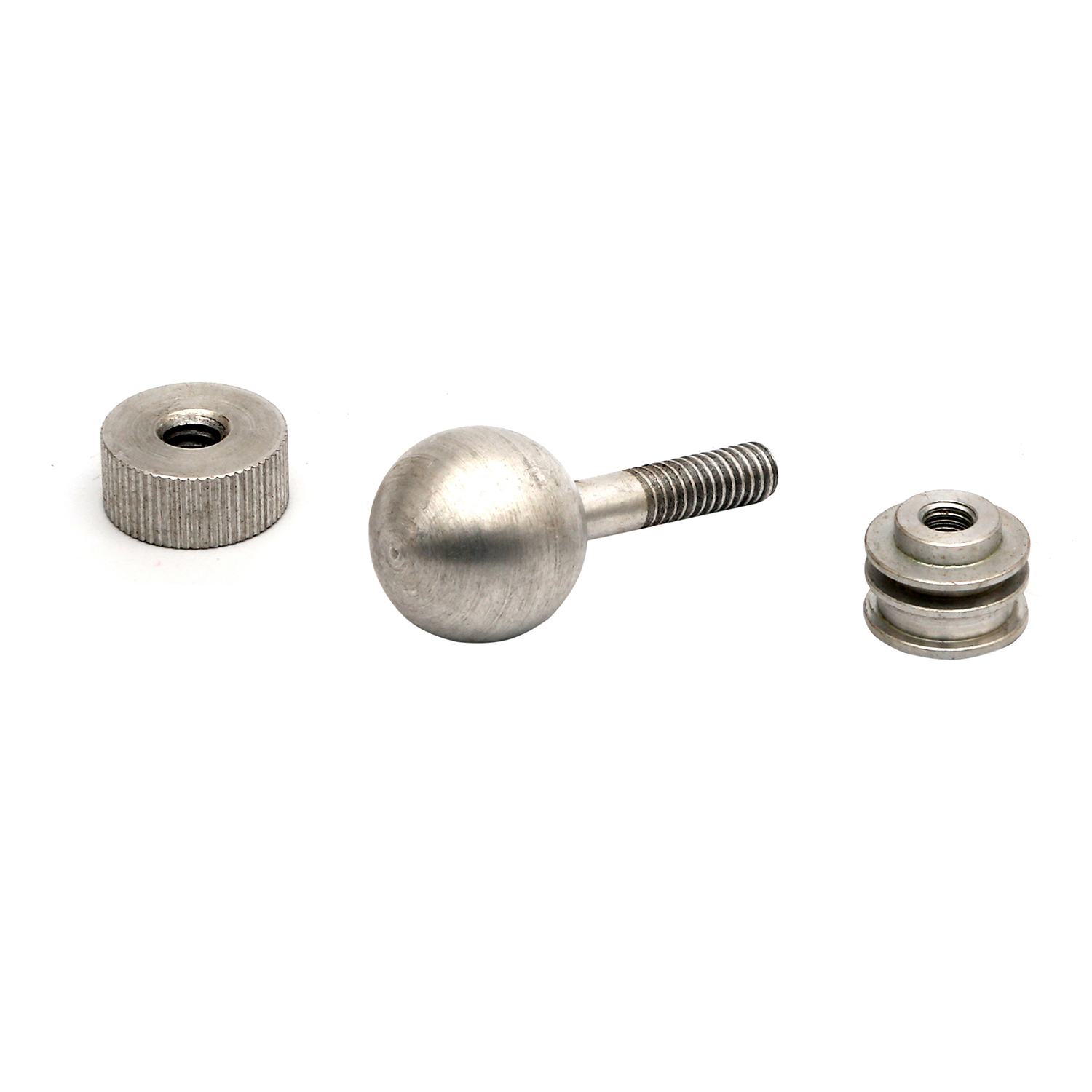
The automated manufacturing umbrella covers several distinct types of equipment. Understanding the mechanical differences between these machines ensures you select the right tool for your specific geometry.
Milling is arguably the most versatile subtractive method you will encounter. During the CNC milling process, the raw workpiece is clamped securely to a stationary machine bed. The cutting tool, gripped tightly in a high-speed spindle, rotates and translates across multiple axes to carve out pockets, slots, and complex 3D contours. Specifically, advanced industrial mills incorporate rotating trunnions to achieve 5-axis capabilities. This allows the cutter to reach nearly every side of the part without manual repositioning, easily holding tight tolerances down to ±0.01mm.
In contrast to milling, turning operates on an inverse dynamic. On a lathe, the raw material is secured in a heavy chuck and spun at blistering speeds. A stationary cutting tool is then introduced to the spinning metal to shave off layers. This method is exclusively reserved for creating symmetrical, cylindrical parts. Common examples include custom threaded bolts, aerospace shafts, and precision bushings.
For absolute beginners and woodworkers, routers are the most common entry point. They operate on the same Cartesian coordinate system as mills but feature a large, flat cutting bed. Their spindles are designed for exceptionally high rotational speeds. Tailored for softer materials like plywood and foam, routers lack the structural rigidity required for heavy metal removal. However, they excel at cutting large sheet goods efficiently.
A machine, no matter how expensive, is essentially blind and unintelligent. The physical cutting is merely the final execution of a meticulously planned digital workflow. This workflow is divided into three distinct software stages.
Every physical part begins as a digital concept. Engineers use specialized software to draft 2D vector profiles or model fully parametric 3D solid objects. For newcomers, web-based entry-level platforms offer a gentle introduction. Meanwhile, professional parametric modeling environments provide industrial-grade capabilities. The sole goal here is geometric accuracy. You must define the exact dimensions and angles of your idea.
Once the 3D model is complete, it must be translated into a language the machine understands. In the manufacturing software environment, you apply logic to your design. You define the dimensions of your raw stock, select specific cutting tools from a digital library, and generate toolpaths. The software calculates the most efficient way for the cutter to remove material without colliding with the clamps.
The final output generated by the software is a text file filled with alphanumeric commands. While modern systems write thousands of lines of this code automatically, learning basic CNC programming is highly recommended. Recognizing that a rapid command triggers a non-cutting movement, while a feed command dictates a slow, controlled cut, is vital. This knowledge allows you to manually pause a program and troubleshoot potentially catastrophic errors before they happen.
One of the most critical decisions a novice makes is selecting the raw material. Choosing a metal that is too hard will instantly shatter brittle end mills. Conversely, picking a plastic with a low melting point will weld a gooey mess directly to your spindle.
When executing your very first toolpaths, errors are an inevitable part of the learning curve. Starting with highly forgiving materials minimizes the financial sting of a mistake. Medium-Density Fiberboard is incredibly cheap and cuts like butter, making it perfect for testing. For functional prototypes, engineering plastics like Acetal resin are highly favored. They cut cleanly, produce distinct chips rather than melting, and put virtually zero stress on your cutting tools.
Once you have confidently mastered soft materials, the natural progression is transitioning to metalwork. For beginners, aluminum machining is the undisputed industry standard. Utilizing the 6061-T6 alloy is considered the ultimate starting point for novices. It strikes a perfect balance. It is soft enough to cut without requiring massive industrial rigidity, yet strong enough for structural brackets and mechanical parts.
In addition, cutting metal introduces new variables. You must begin managing heat. Utilizing air blasts, mist coolants, or flood lubrication becomes necessary to evacuate chips from the cutting zone. Failure to clear these chips leads to recutting. This rapidly degrades the surface finish and destroys the temper of your end mill.
| Material Type | Machinability | Best For | Tool Wear Risk |
|---|---|---|---|
| Medium-Density Fiberboard | Excellent | First-time testing, sacrificial wasteboards | Very Low |
| Acetal Resin | High | Low-friction mechanical parts, gears | Low |
| Aluminum 6061-T6 | Moderate to High | Structural brackets, custom enclosures | Medium |
| Stainless Steel | Low | High-strength industrial components | High |
Transitioning from the glowing computer monitor to the grease and noise of the physical machine is where theory meets reality. A systematic, step-by-step approach is mandatory to ensure safety and success.
The golden rule of subtractive manufacturing is simple. If the material moves during the cut, the part is destined for the scrap bin. Workholding refers to how you anchor the raw stock to the machine bed. Beginners should rely on heavy-duty machine vises that have been carefully aligned with the machine axes. Ensure the clamping pressure is immense enough to withstand the violent lateral forces exerted by the spinning cutter.
Select the exact end mill you specified in your digital file. A flat end mill is perfect for squaring edges and hogging out deep pockets. A ball-nose end mill is required for smooth 3D surfacing. Insert the tool into the collet, ensuring enough of the smooth shank is gripped for maximum rigidity. Never clamp down directly on the sharp flutes, as this will cause the tool to run out of true.
Your machine is entirely blind. It has no idea where you bolted down the aluminum block. You must establish a coordinate system that perfectly matches the origin point in your digital file. Use an edge finder to precisely locate the horizontal boundaries. For the vertical axis, a classic beginner trick is to slowly lower the spinning tool onto a piece of standard copy paper resting on the stock. The moment the tool gently grips the paper, you have found your zero height.
Never blindly press the start button and walk away to grab a coffee. For your maiden voyage, perform a dry run. Set your vertical zero a few inches in the air and watch the machine cut an invisible part. This allows you to visually verify the toolpaths. When you finally lower the tool for the real cut, keep your hand hovering over the Emergency Stop button. Listen closely for the smooth hum of a perfect cut rather than the high-pitched squeal of struggling metal.
Even with meticulous preparation, the learning curve is steep. Recognizing the most frequent pitfalls can save you hundreds of dollars in shattered tooling and ruined stock.
The delicate relationship between spindle speed and how fast the tool translates through the material dictates everything. Moving the tool too slowly while spinning it too fast causes the cutter to rub rather than slice. This generates immense friction, burning wood, melting plastic, and dulling carbide. Conversely, feeding the tool too aggressively exceeds its physical shear strength, snapping it instantly.
A crash is the heart-stopping moment when the spindle violently collides with a steel vise or plunges inches deep into the machine bed. This catastrophic event is almost always triggered by human error during the setup phase. Specifically, inputting the wrong tool length offset or forgetting to model the steel clamps inside the software.
Underestimating the rotational torque of a milling machine is incredibly dangerous. If a block of metal is only lightly gripped, the end mill will act like a gear. It will lift the part out of the vise and eject it across the room at high velocity. Always utilize parallels, soft jaws, and maximum torque to maximize gripping surface area.
Modern software includes highly accurate, physics-based simulation environments. Skipping this step to save five minutes is a critical error. The digital simulation will visually highlight if the toolholder is going to smash into the part during a deep pocketing operation. Always watch the simulation from start to finish before exporting a single line of code.
As your engineering skills evolve, your designs will inevitably outgrow the physical limitations of entry-level equipment. Recognizing when a project requires industrial intervention is a vital decision-making metric.
Lightweight gantry routers and hobbyist mills are phenomenal for learning the ropes. However, they lack the cast-iron mass required for serious metal removal. Attempting to machine tough alloys like stainless steel or titanium on a lightweight machine results in severe frame deflection. This bending causes aggressive tool chatter, terrible surface finishes, and an inability to hold precise tolerances. Furthermore, without automatic tool changers and high-pressure flood coolant, producing more than a handful of parts becomes agonizingly tedious.
You do not need to invest hundreds of thousands of dollars into a massive vertical machining center to obtain aerospace-grade components. When your project demands complex 5-axis geometries, exotic alloys, or scalable batch production, outsourcing is the most strategic choice. By leveraging professional manufacturing services, you gain immediate access to state-of-the-art equipment operated by veteran machinists. This allows you to focus purely on product design. You can rest easy knowing that rigorous quality control, precision finishing like custom anodizing, and strict tolerances are being handled by industry experts.
Mastering automated manufacturing is a deeply rewarding journey that empowers you to turn abstract ideas into functional reality. Whether you are cutting wooden signs in your garage or engineering tight-tolerance drone components, the fundamental principles remain the same. Respect the machinery, double-check your digital simulations, and never stop refining your feeds and speeds.
There is a noticeable learning curve, primarily centered around training your brain to think in three-dimensional space and mastering the software interfaces. However, modern intuitive software platforms and abundant online tutorials have drastically lowered the barrier to entry. It is more accessible today than at any point in history.
No, you do not need to write code manually from scratch. The software visually generates the thousands of lines of code required to move the machine. That said, memorizing a handful of basic commands is highly recommended. It allows you to read the output and troubleshoot minor errors safely.
Start with Medium-Density Fiberboard or a forgiving engineering plastic like Acetal resin. These materials cut effortlessly and will not immediately snap your tools if your feed rates are slightly miscalculated. When you feel ready to tackle metals, 6061-T6 aluminum is universally recognized as the most beginner-friendly alloy due to its predictable chip formation.
For absolute beginners, cloud-based CAD platforms offer intuitive, drag-and-drop interfaces that do not require high-end computer hardware. As you progress, transitioning to professional parametric 3D modeling software becomes essential for designing complex mechanical assemblies and generating precise toolpaths.
A basic desktop router for cutting wood and plastics can cost between a few hundred to a couple of thousand dollars. However, industrial machines capable of cutting steel with high precision cost tens or hundreds of thousands of dollars. For complex metal parts, outsourcing is almost always more economical than purchasing heavy machinery.
If you are tinkering, learning, or making simple wooden crafts, a desktop machine is a great investment. However, for one-off complex metal prototypes, tight-tolerance engineering parts, or high-volume production runs, utilizing a professional machining service is vastly more cost-effective. It saves you from purchasing industrial-grade machinery, expensive tooling, and raw materials yourself.
Taking the leap from a digital concept to a physical product requires the right partner. When your prototypes outgrow desktop machines, or when you need uncompromising precision and industrial-grade materials, professional manufacturing is the answer. Explore the comprehensive machining capabilities and turn your engineering visions into reality by visiting Yeeshine today. Whether you need a single 5-axis prototype or a large-scale production run, expert machinists are ready to deliver flawless results.


